Skip to content
Covatom

Product

One app today. A family of devices next.

Everything works with no internet and no credit. You don't need to learn it all: the ones used most are chat, the talk button and SOS.

Talking and news

Talking

Talking and news

Like a regular group chat, but with no internet.

Walkie-talkie

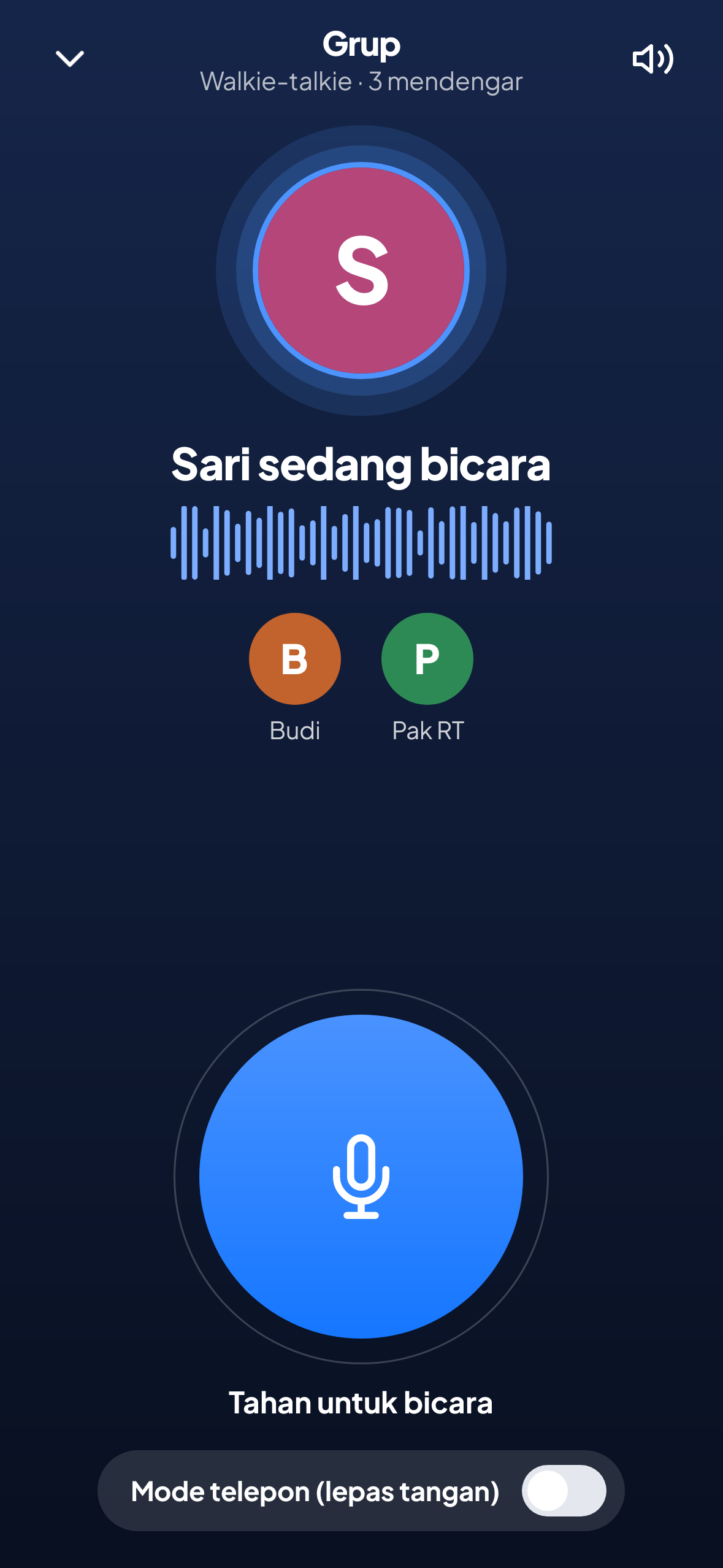
Hold the green button to talk to the whole group. Release, and everyone hears it.

Group chat and private messages

To everyone, or just the two of you.

One-to-one calls

Tap the phone icon at the top for a continuous two-way call.

Voice messages

Record up to 1 minute when the walkie-talkie is busy.

Photos and video

Send a photo or a short video clip to the group.

Announcements

Important news shows as a card above the chat.

Chat history

Chats remain after the app is closed, stored on that phone only.

File sharingTeam Edition

PDFs and documents up to 8 MB.

Emergency

Emergency

Emergency

For when someone needs help.

SOS

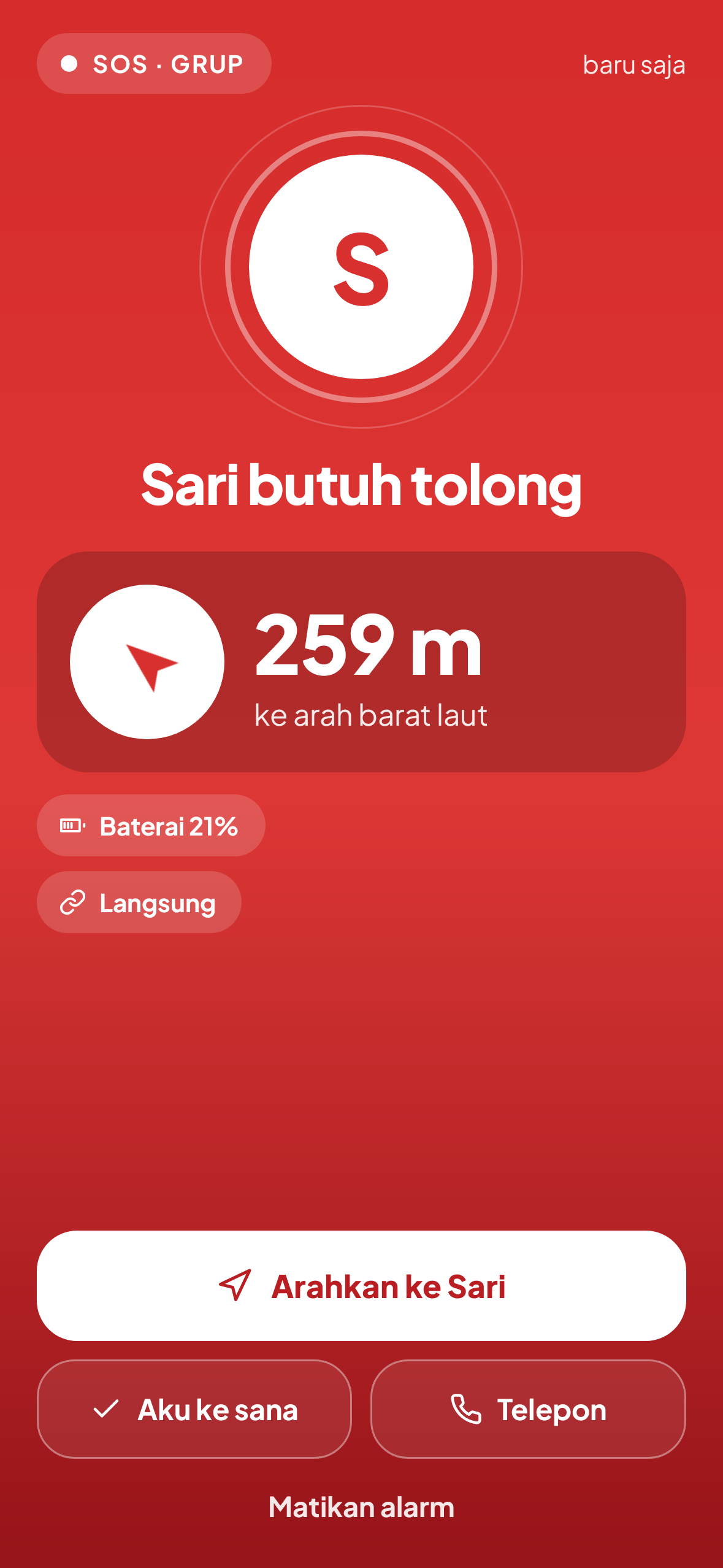
Press SOS, then Send SOS. An alarm sounds on every phone in the group, with the sender's distance, direction and remaining battery.

SOS from the volume button

Press a volume button 5 times within 3 seconds while the app is open. A 5-second countdown lets you cancel.

SMS to an emergency contact

If a number is saved, an SMS is prepared along with the SOS. It is sent if there is still signal.

Emergency menu

Six large buttons: SOS, My status, Siren and torch, Guides, Map and Medical card.

My status

Safe, Need help or Injured. Every member knows at once.

Siren and torch

A loud siren and a light flashing the SOS code so you are easy to find.

Medical card

Blood type, allergies and medication. If you allow it, a summary is sent with your SOS.

Direction and location

Direction and location

Direction and location

Know where your people are, with no online map.

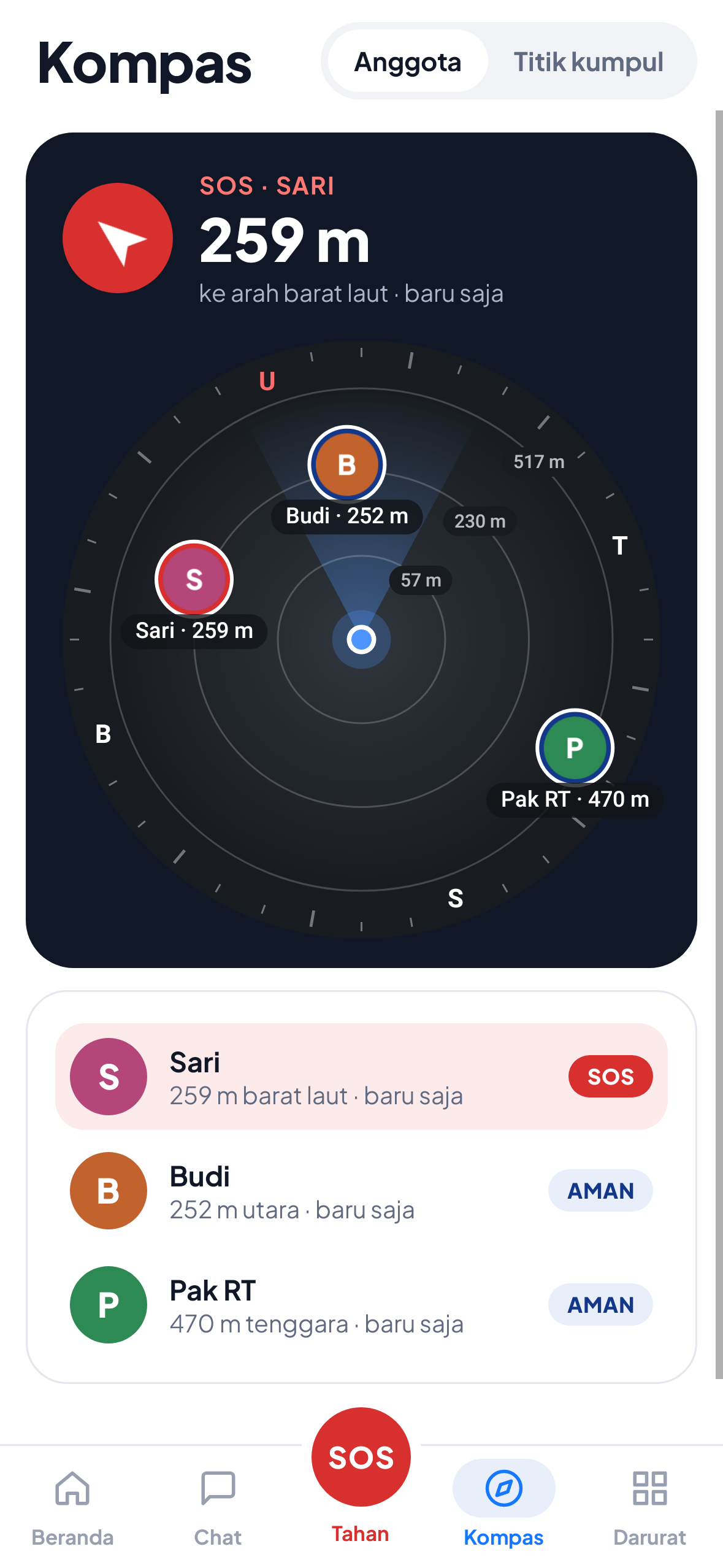
Compass

Direction and distance to each member, plus a large arrow to whoever is sending an SOS.

Meeting point

Mark a place to gather. Every phone knows its direction and distance.

Offline maps

Download the map around you (about 3 km) while you have internet, then open it any time.

Find family

Spread the name and description of a missing person to every phone, including other groups.

Groups and posts

Groups and posts

Groups and posts

For group leaders, neighbourhoods, schools and volunteers.

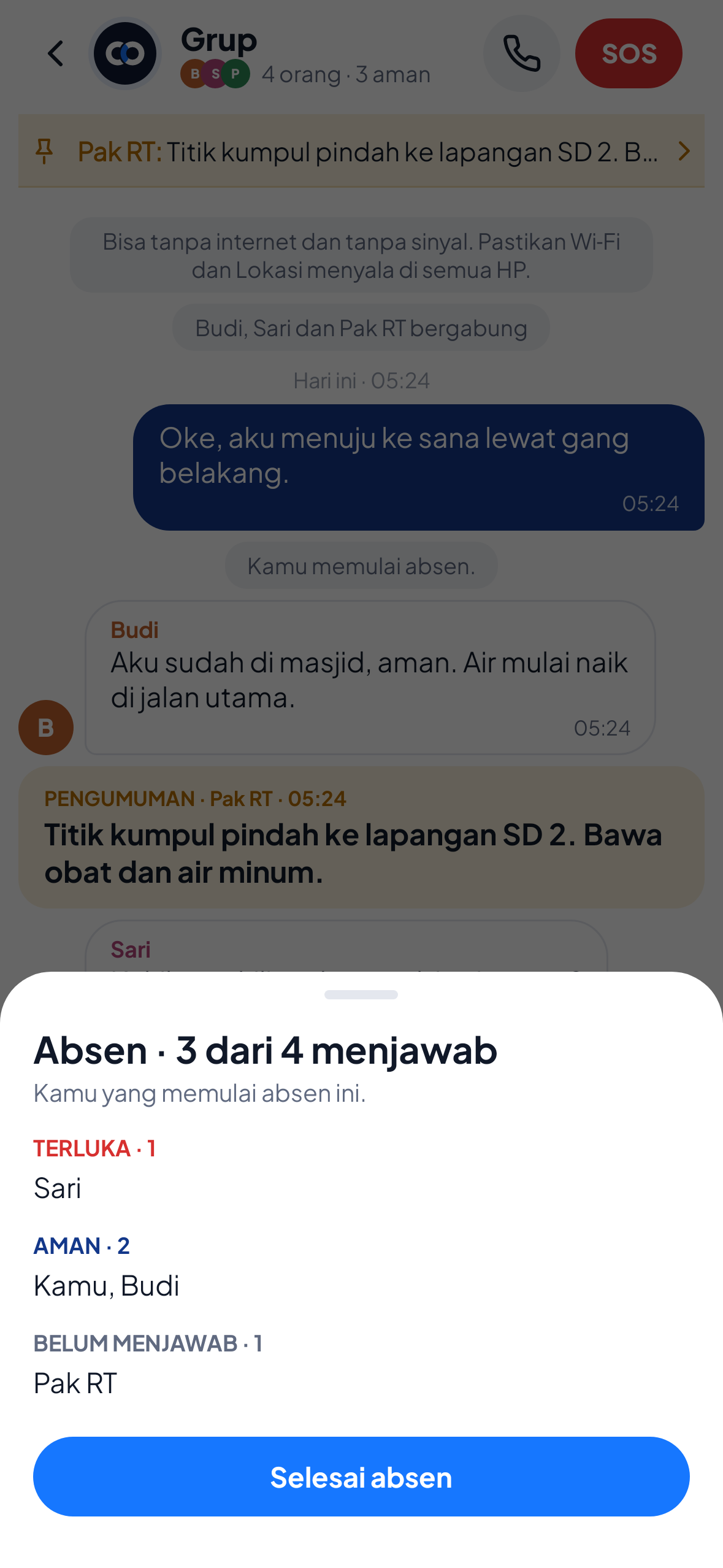
Roll call / headcount

Everyone answers Safe, Need help or Injured. Those who have not answered are visible.

Group info

Status, battery and last location of each member in one list.

Senior mode

A screen with large buttons: SOS, I'm safe and Hold to talk.

Laptop and iPhone through a browser

Devices without the app join the group through a browser. How.

Bridge

A phone in the middle passes messages on to those further away. Free for everyone, still experimental.

LoRa gateway and antenna aimingTeam Edition

For posts that have a Meshtastic LoRa device or a long-range Wi‑Fi antenna.

Preparation

Preparation

Preparation

So you are ready before disaster strikes.

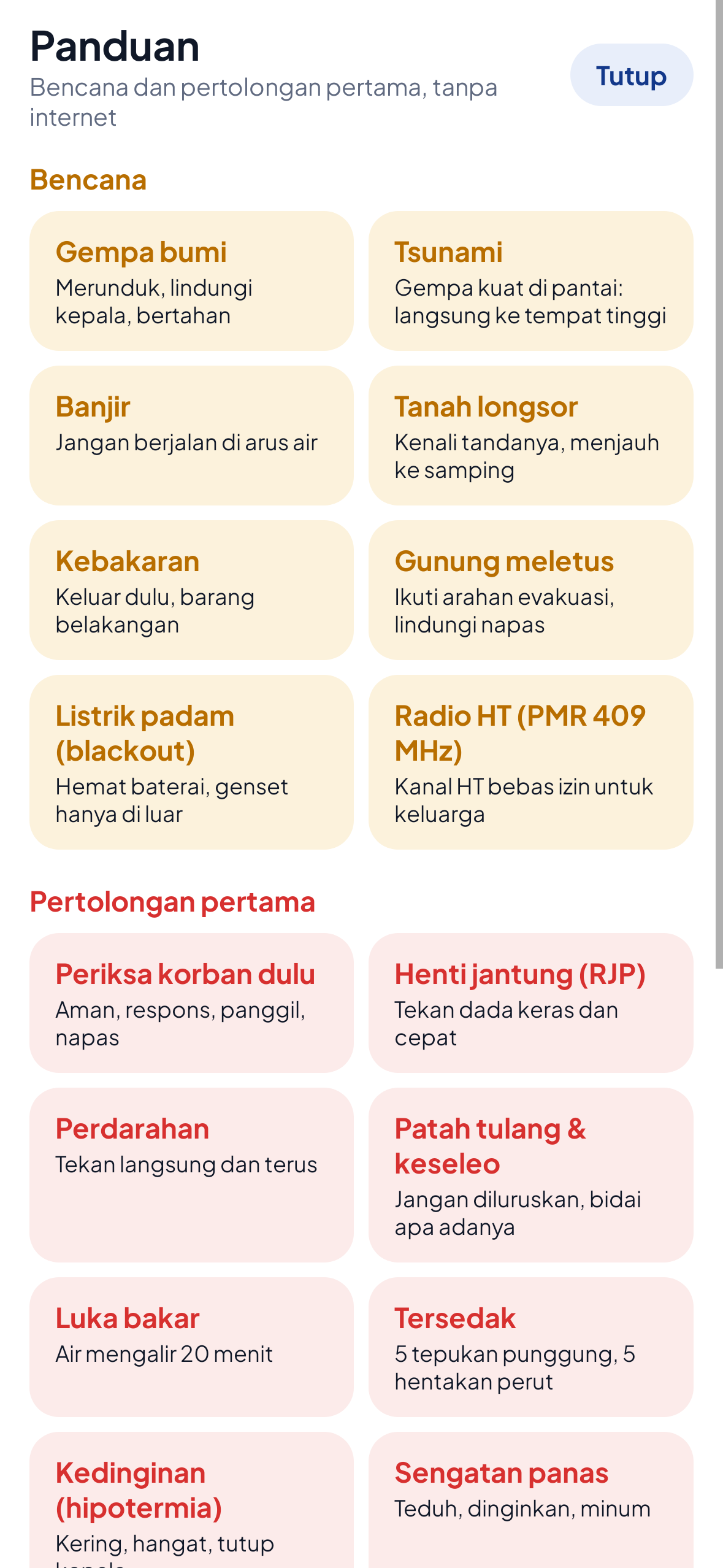
Disaster and first-aid guides

Earthquake, flood, landslide, blackout, CPR and burns. Readable with no internet.

Readiness checklist

Reminders for the permissions and settings to prepare, until everything is done.

Battery saver mode

Location updates less often and the screen dims. Chat and SOS keep working.

Automatic reconnect

A phone that went out of range rejoins the group by itself.

Bahasa Indonesia and English

Follows the phone's language, and can be changed in Profile.

Features marked Team Edition are switched on in Profile → Advanced, and are free during the trial period.

Devices · concept

For those who are not holding a phone when it matters.

Children, the elderly, pilgrims, or a phone with a dead battery. We are designing these devices to call for help through the nearest Covatom phone. Rotate the models to see every side.

Colour
sPower, Emergency power bank
Drag to rotate
Concept

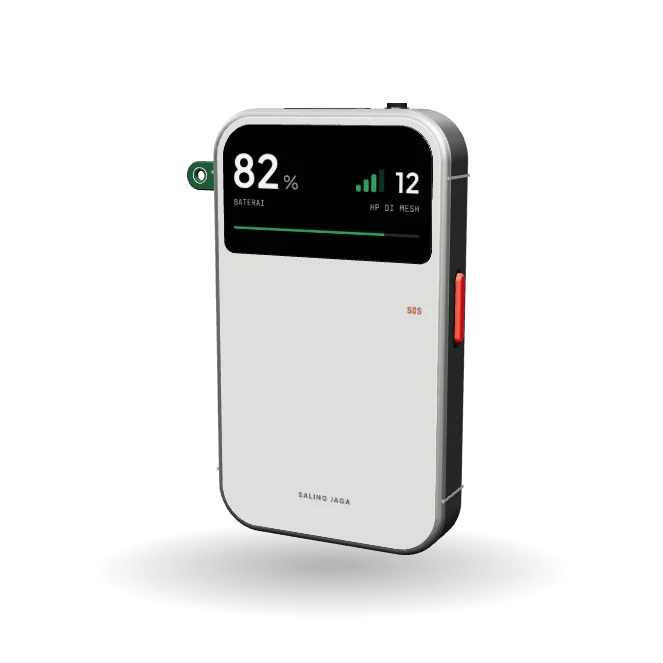
sPower

Emergency power bank

The power bank that saves lives.

It charges phones, connects people with no signal and sends an SOS across kilometres. No touchscreen: a battery readout behind glass and one red SOS key on the side.

Battery
10,000 mAh, USB‑C and wireless charging
Radio
LoRa, Bluetooth and Wi‑Fi
Emergency
SOS key on the side, torch and siren
For
Village, school and organisation kits
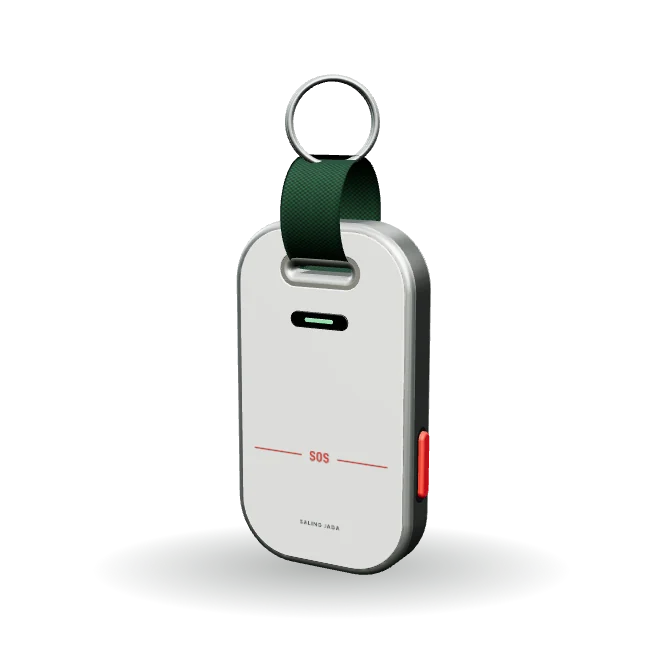
sTag, SOS key fob
Design + sample firmware

sTag

SOS key fob

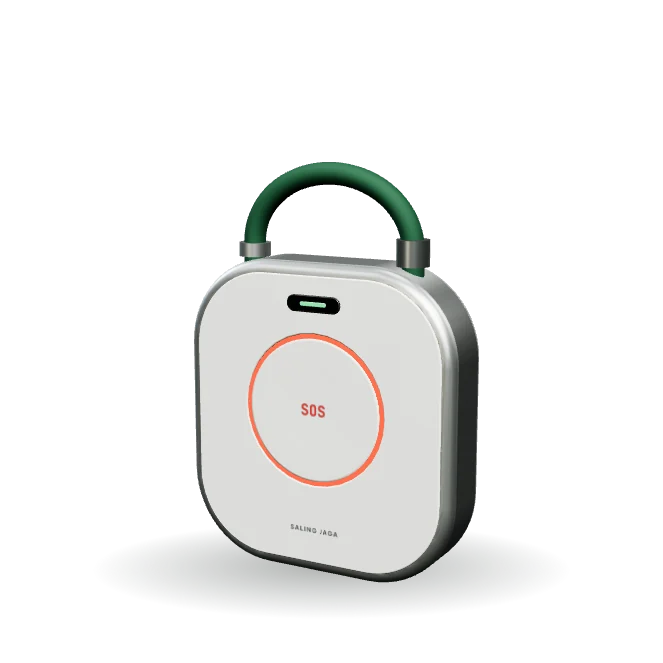
For children and the elderly who do not carry a phone. The whole face is the button: press it for 2 seconds, and the nearest Covatom phone passes the SOS on. The loop is part of the body, so it hooks straight onto a bag.

  • Bluetooth LE, CR2032 coin cell
  • Heard by any Covatom phone
  • The app side is ready
sTag Slim, Slim SOS key fob
Concept

sTag Slim

Slim SOS key fob

The same insides as sTag in a slim metal body for keys and wallets. The SOS is sent by squeezing the two keys on its sides together, so a pocket cannot press it.

  • Slim metal body on a woven loop
  • SOS by squeezing both sides
  • Bluetooth LE, CR2032 coin cell
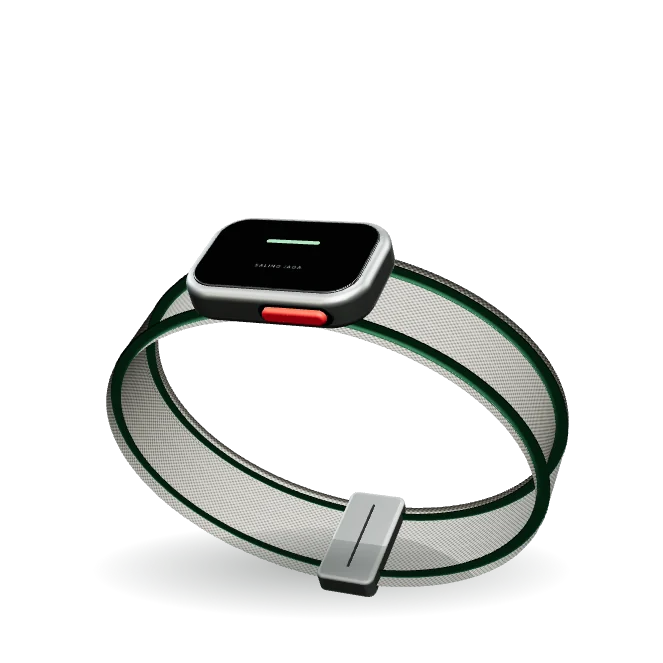
sBand, SOS wristband
Concept

sBand

SOS wristband

The same insides as sTag in the shape of a wristband, so it is not left behind or dropped in a crowd.

  • For children, the elderly and pilgrims
  • SOS key and status light on the wrist
  • Counted in the group's roll call
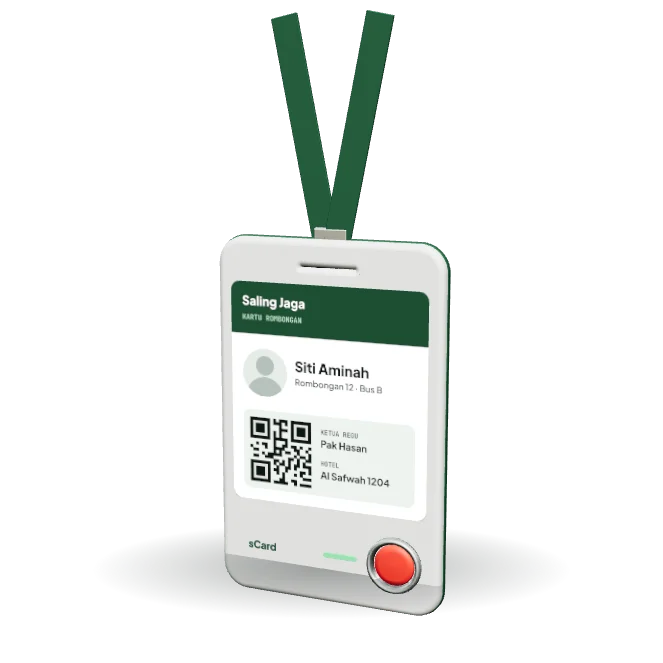
sCard, Group ID card
Concept

sCard

Group ID card

An ID card that can call for help. Worn on a lanyard by pilgrims, pupils or tour members, with their name, their group and a code the team leader can scan.

  • SOS key and status light
  • Counted in the group's roll call
  • Card-thin, recharged over USB‑C
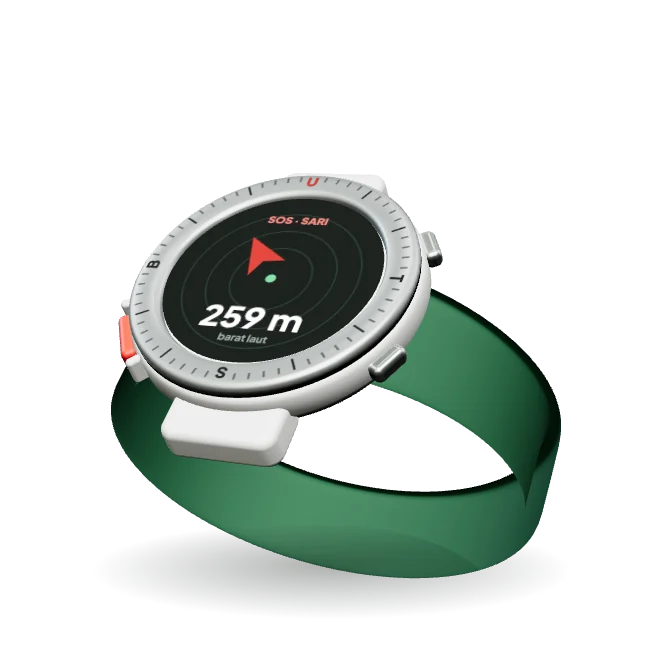
sWatch, SOS watch
Concept

sWatch

SOS watch

SOS from the wrist, plus a screen that shows the direction and distance to someone who needs help or to the meeting point.

  • Compass to members and the meeting point
  • Dedicated SOS key on the left side
  • For team leaders and volunteers
sKom, Pocket communicator
Concept

sKom

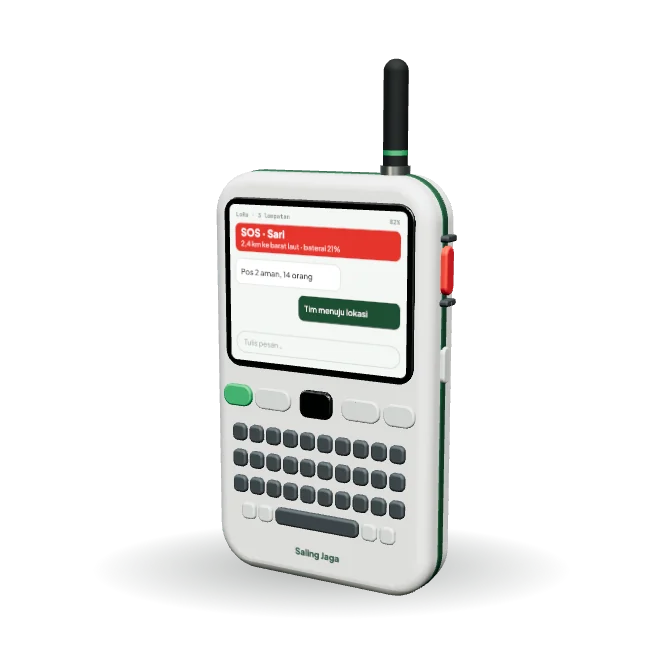
Pocket communicator

A handheld with a screen and keyboard for volunteers who need long-range messaging without a phone or a SIM card.

  • Text messages over LoRa
  • Guarded SOS key on the side
  • No SIM card
sHome, Home standby lamp
Concept

sHome

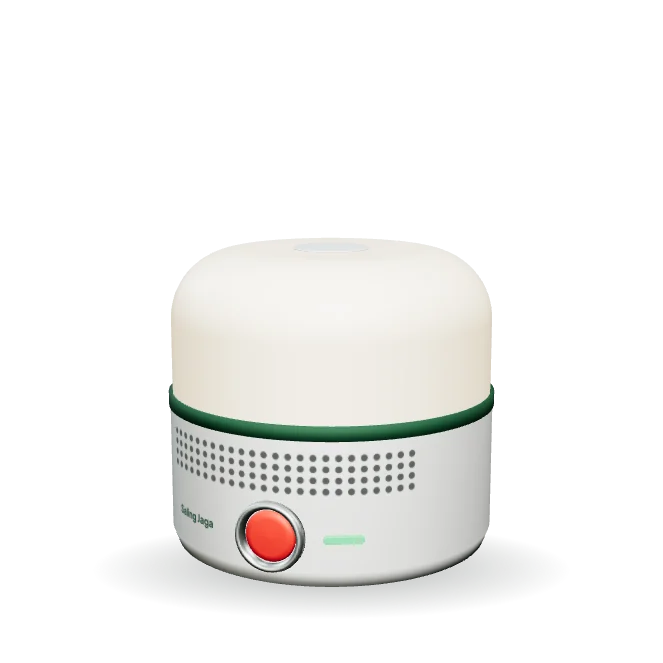
Home standby lamp

A lamp that switches itself on when the power goes out, and sounds loudly when a family member presses SOS on their sTag or wristband.

  • Automatic emergency light
  • SOS alarm for the whole house
  • Relays the sTag signals around it
sHub, Post box
Concept

sHub

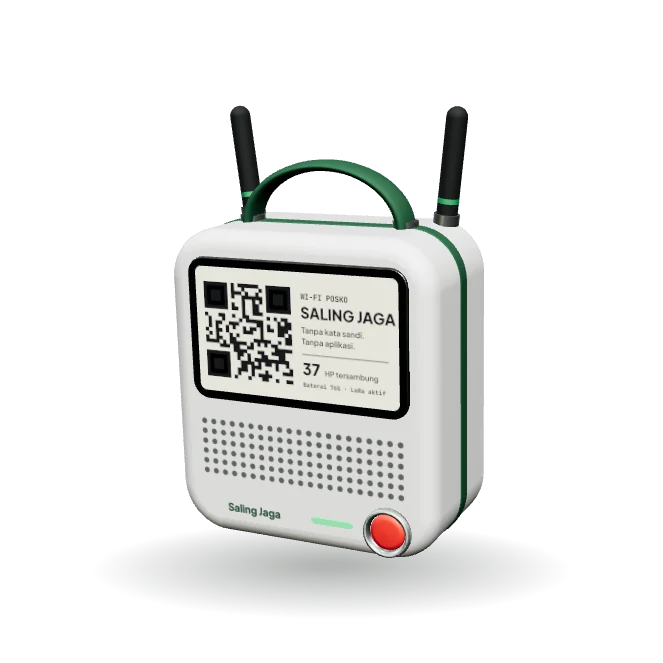
Post box

It broadcasts a Wi‑Fi network named SALING JAGA. Any phone, iPhone included, scans the code on its screen and joins without installing the app.

  • E‑paper screen with the Wi‑Fi code
  • Loudspeaker for announcements
  • Carried by hand, runs on battery or solar
sNode, Solar repeater
Concept

sNode

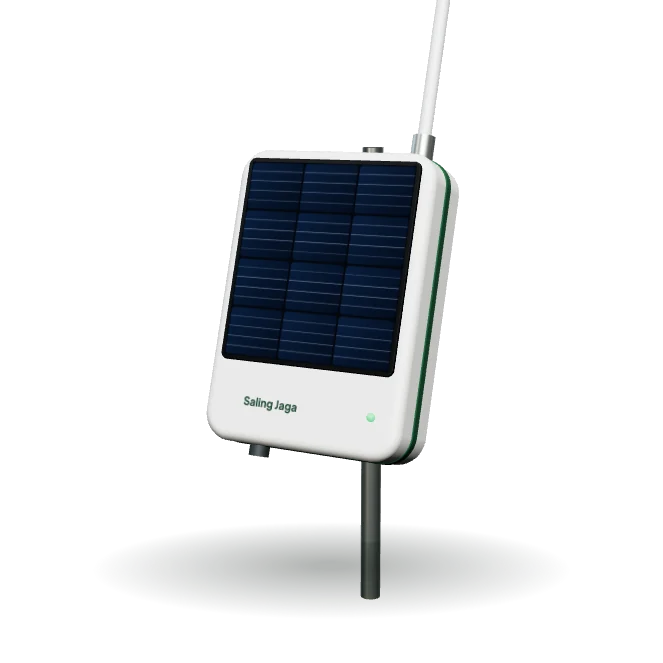
Solar repeater

Mounted on a hill, a tower or a roof. It relays SOS and short messages between villages without anyone attending it.

  • The lid is the solar panel
  • Long-range LoRa radio
  • No daily maintenance
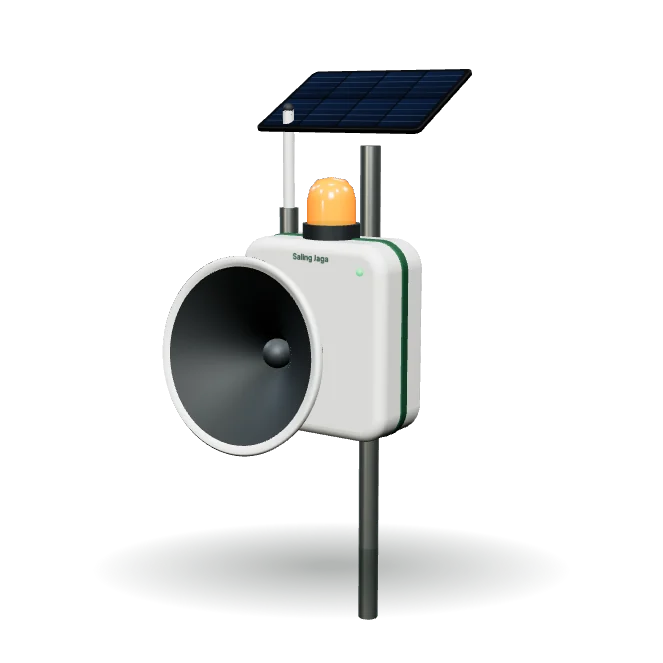
sSirine, Village siren
Concept

sSirine

Village siren

The village alarm drum, made digital. When an SOS or a warning comes from the post, its siren and strobe go off for everyone who is not holding a phone.

  • Horn siren and strobe light
  • Its own solar panel and battery
  • Triggered from the post over LoRa
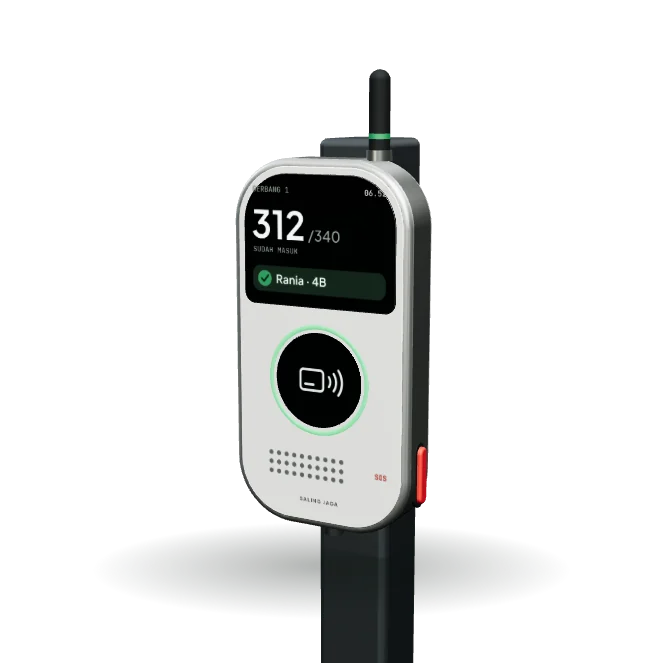
sGate, School gate
Concept

sGate

School gate

Mounted on the school gate post. Pupils who walk through with an sCard are counted on their own, and parents hear they have arrived without the child needing a phone.

  • Screen with the count of pupils in
  • Reads a tapped card, or one inside a bag
  • LoRa antenna, 5 V or PoE power
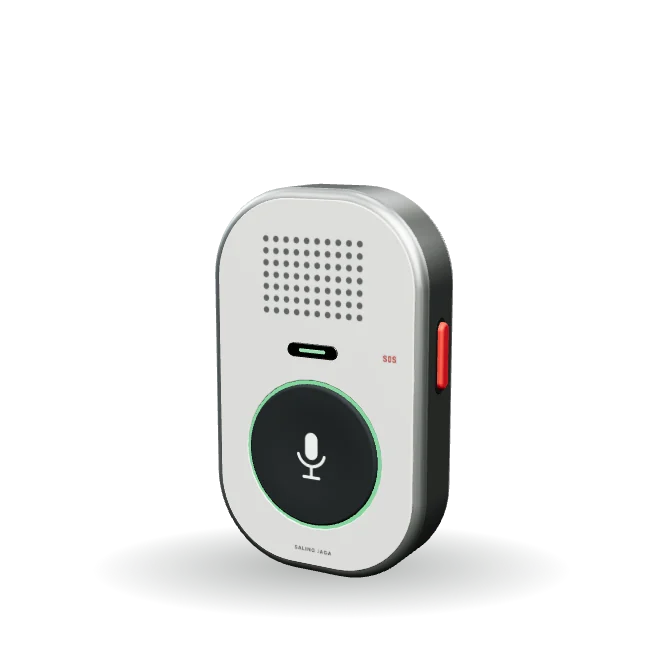
sTalk, Push-to-talk clip
Concept

sTalk

Push-to-talk clip

Press and talk to the group while the phone stays in a pocket. For guards, event crews, pilgrimage guides and motorbike taxi stands.

  • Large talk key and a speaker
  • SOS key on the side
  • Spring clip for a collar, a bag strap or handlebars
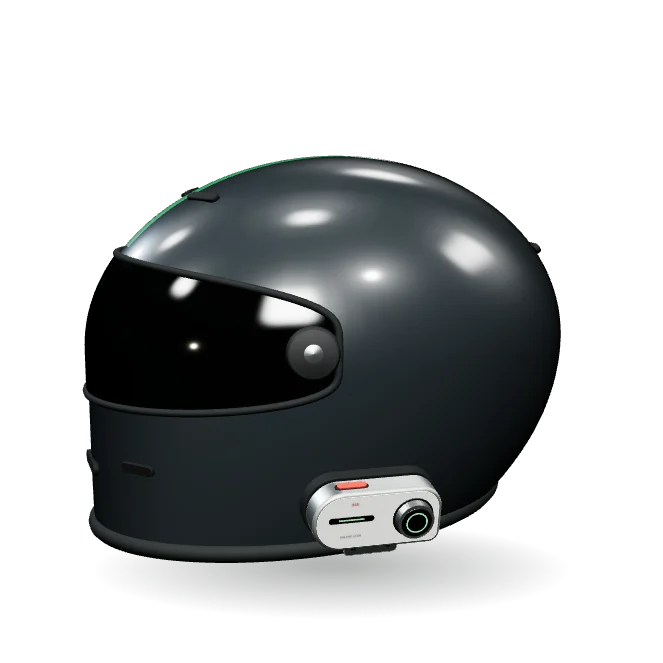
sRide, Helmet intercom
Concept

sRide

Helmet intercom

Talk from helmet to helmet on a ride with no signal. The unit clips to the side of the helmet; the speakers and the microphone sit inside it.

  • The size of a usual helmet intercom, about 86 × 42 × 20 mm
  • A dial that works with gloves on
  • SOS key on the top edge
sLamp, Solar street light
Concept

sLamp

Solar street light

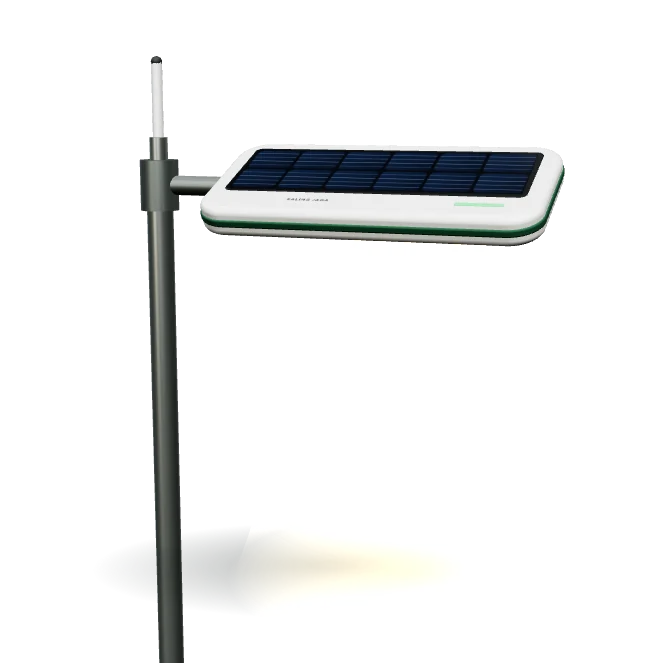
The street light villages and housing estates already buy, with a network repeater in its head. Every post becomes a hop, at the best height there is.

  • Solar panel and battery in the lamp head
  • LED lamp with a motion sensor
  • LoRa radio at the top of the post
sSense, Home sensors
Concept

sSense

Home sensors

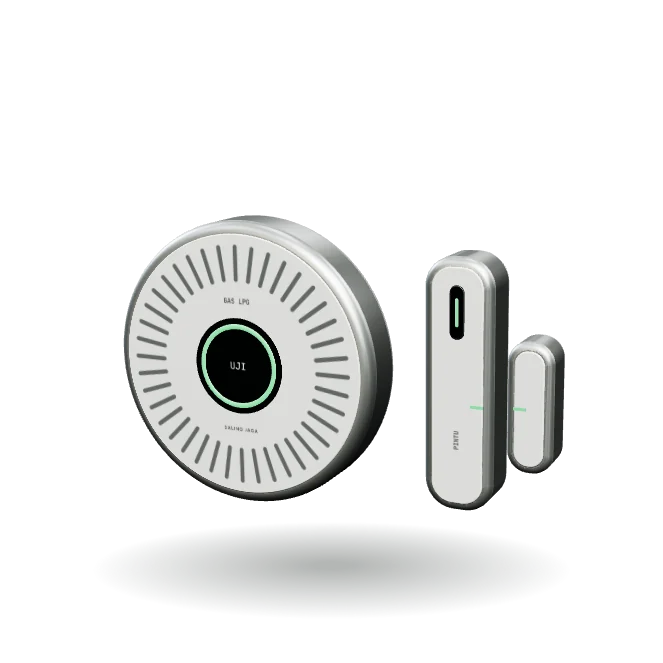
A gas leak or an opened door sounds in the house, on the family's phones and on the nearest neighbours' phones, with no internet.

  • LPG gas detector, mounted low near the stove
  • Two-part door sensor
  • Test key and a status light ring

Want to be a device pilot partner?

We are looking for villages, schools, travel operators and volunteer teams willing to try the first prototypes and tell us what they think.

Get in touch

Every model in this section is a design concept, not a product photo. Shapes, specifications and names may change. The devices are not for sale yet, and radio devices will go through certification before they are sold.

Range

From one alley to a whole valley.

Start with just two phones. When the group spreads out, the range can be extended step by step.

50–100 m

Phone to phone

Directly over Wi‑Fi Direct in the open. Shorter indoors.

+1 phone

Bridge phone

A phone in the middle taps “Become a bridge” and passes messages to those out of range.

1–3 km

Post Wi‑Fi

A building's Wi‑Fi, or a long-range Wi‑Fi antenna at a command post.

km+

LoRa gateway

Meshtastic LoRa devices carry short messages and SOS between groups.

These figures are estimates in open space. Real results depend on the phones, buildings, trees and weather.

Security

No server. The data stays in the group.

There is no account to break into and no server to go down.

Encrypted between phones

Messages are sealed with AES‑256‑GCM. There is no server and no account.

No impersonation

A message that claims to come from another member is rejected.

Passes Play Protect

Scanned by Google at install. The app has no ads and no trackers.

Verifiable

Every APK ships with a SHA‑256 to check against the downloaded file.

Which permissions does it ask for?

PermissionUsed for
Location / Nearby devicesRequired by Android to find phones over Wi‑Fi Direct, and for the compass and SOS distance
MicrophoneOnly while the talk button is held or a call is active
NotificationsSOS and messages while the screen is off
Never requestedContacts, SMS, full gallery, call log

The next earthquake will not wait until you are ready.

Install it now while you still have signal, then bring in your family and neighbours. Covatom only helps if the phones around you have it too.