
How it works
Your phone already has the radio. We just connect it.
Every phone has Wi‑Fi and Bluetooth that can talk directly to another phone, with no cell tower or internet in between. Covatom uses both at once.
Three steps
From install to connected in under a minute.
Install while you have signal
Download the app now. Internet is only needed to install it and, if you like, to download the map around you.
Invite the phones around you
Open the app and other phones running Covatom appear in a list. Tap “Invite” or scan a QR code.
Stay connected
Chat, talk, share location and send SOS. If someone goes out of range, their phone reconnects by itself.
The network
Five ways a message gets through.
The app picks the path itself. You just send a message as usual.
Wi‑Fi Direct
The fast path for voice, photos, video and chat within a group.
Bluetooth
Works with no Wi‑Fi. SOS and short messages are passed from phone to phone.
Bridge phone
A phone in the middle links two groups that cannot reach each other.
Post Wi‑Fi
A building's Wi‑Fi or a long-range antenna unites a whole shelter area.
LoRa
Low-power radio devices carry SOS and short messages between groups.
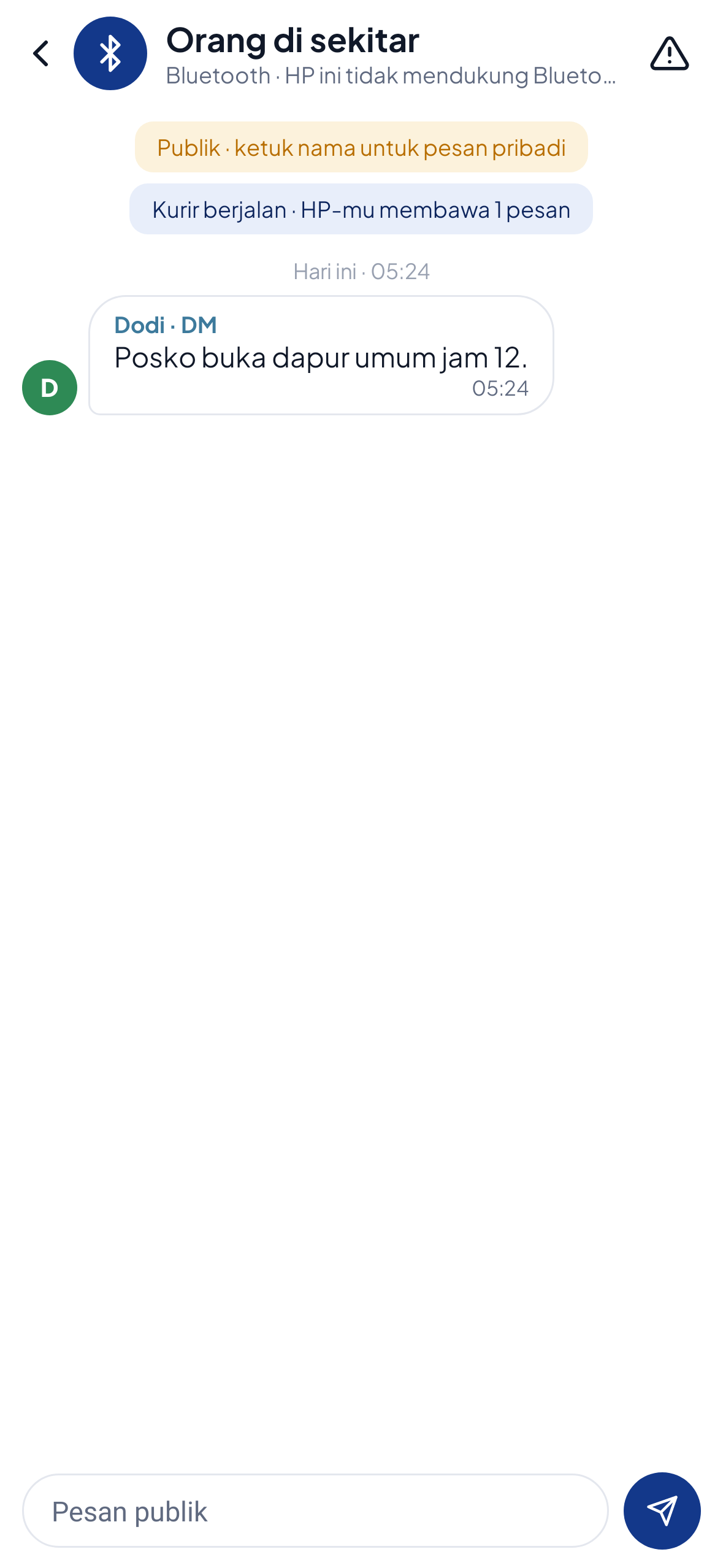
Walking courier
Messages travel with the people passing by.
When there is no direct path, a message is kept on the phone that received it and handed to other phones it meets along the way. Like giving a letter to someone heading in the right direction.
- Messages are kept for up to 6 hours
- SOS is passed on for up to 7 hops
- Handed automatically to every Covatom phone it meets
Range
From one alley to a whole valley.
Start with just two phones. When the group spreads out, the range can be extended step by step.
Phone to phone
Directly over Wi‑Fi Direct in the open. Shorter indoors.
Bridge phone
A phone in the middle taps “Become a bridge” and passes messages to those out of range.
Post Wi‑Fi
A building's Wi‑Fi, or a long-range Wi‑Fi antenna at a command post.
LoRa gateway
Meshtastic LoRa devices carry short messages and SOS between groups.
These figures are estimates in open space. Real results depend on the phones, buildings, trees and weather.
Security
No server. The data stays in the group.
There is no account to break into and no server to go down.
Encrypted between phones
Messages are sealed with AES‑256‑GCM. There is no server and no account.
No impersonation
A message that claims to come from another member is rejected.
Passes Play Protect
Scanned by Google at install. The app has no ads and no trackers.
Verifiable
Every APK ships with a SHA‑256 to check against the downloaded file.
Which permissions does it ask for?
| Permission | Used for |
|---|---|
| Location / Nearby devices | Required by Android to find phones over Wi‑Fi Direct, and for the compass and SOS distance |
| Microphone | Only while the talk button is held or a call is active |
| Notifications | SOS and messages while the screen is off |
| Never requested | Contacts, SMS, full gallery, call log |
Honest about limits
What to know before you rely on it.
Covatom complements official emergency services. It does not replace them.
It needs other phones with the app
With no other Covatom phone in range, a message has nowhere to go. That is why you should bring in the people around you now.
Range depends on the place
Walls, trees and weather shorten the distance. The figures on this page are estimates in open space.
Not a replacement for emergency numbers
Covatom does not call an ambulance or the fire service. It connects the people who are around you.