
Install
Install it now, before you need it.
Covatom is in a closed test on Google Play. Google only allows a public release after at least 12 testers stay in the test for 14 days in a row. Help us by becoming a tester: it's free and you get the app straight from the Play Store.
- Join the tester groupOpen the google-tester-indonesia group with the Google account on your Android phone, then tap “Join group”. You only do this once.
- Become a testerOpen the opt-in link with the same account, then tap “Become a tester”.
- Install from the Play StoreOpen Covatom on Google Play, then tap “Install”.
- Sign up on TesBarengOpen the Covatom page on TesBareng (in Indonesian), tap “Gabung sebagai tester” and tick the three steps above.
- Keep it installed for 14 daysUse the app, then leave a rating and review on Google Play in your own words. Don't leave the test before 14 days.
If the Play Store says “App not available”, make sure the Google account on the phone has joined the group, then try again a few hours later. Already installed the APK from this site? Uninstall it before installing from the Play Store.
On a laptop, a Mac or an iPhone? Join the group in a browser, no internet: see the laptop & browser guide.
No Google account? Install the APK directly
The APK on this site is the same app, and you can share it over Quick Share or Bluetooth with friends who have no internet. Download the APK, then follow the pictures below.
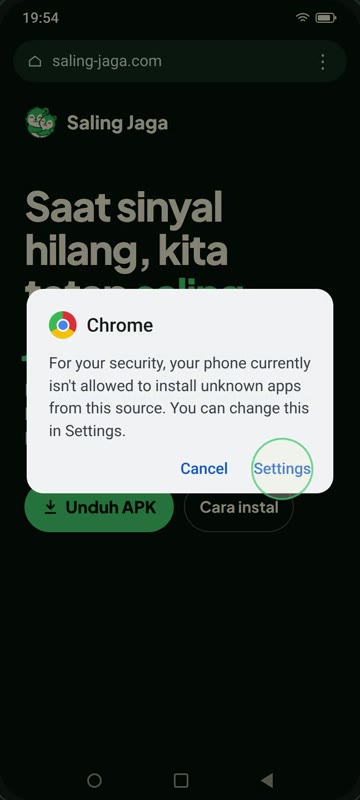 Tap Settings
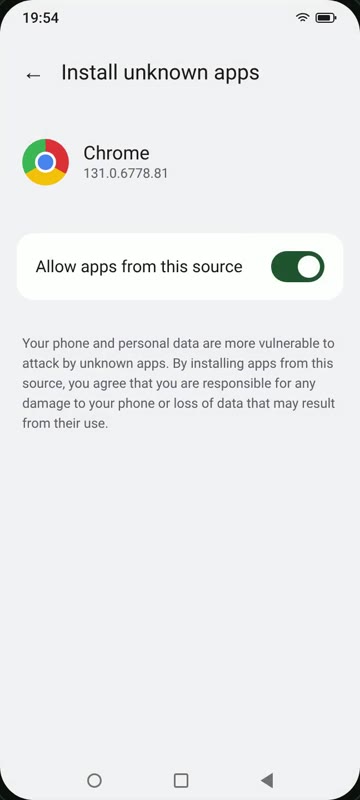 Allow this source
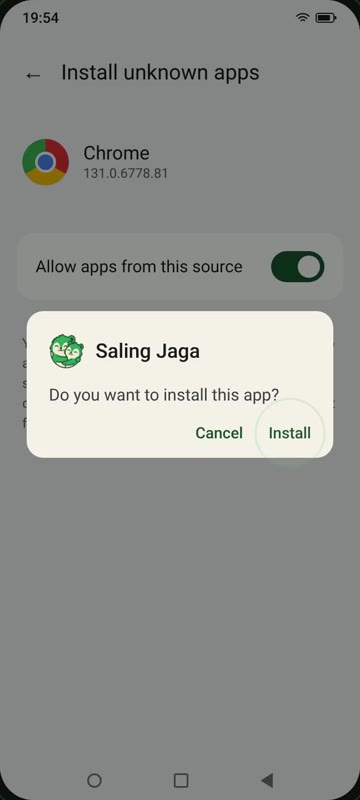 Tap Install
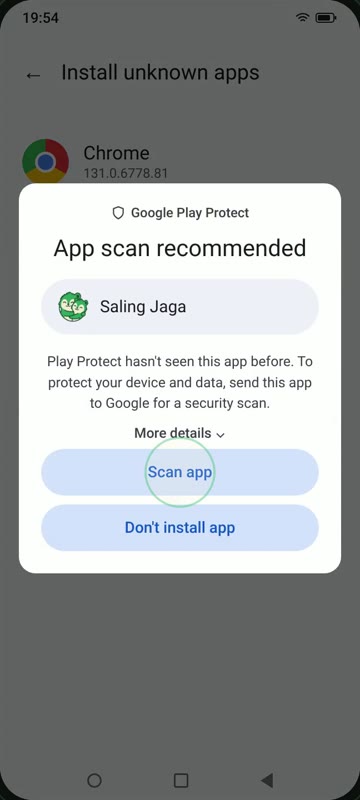 Choose Scan app
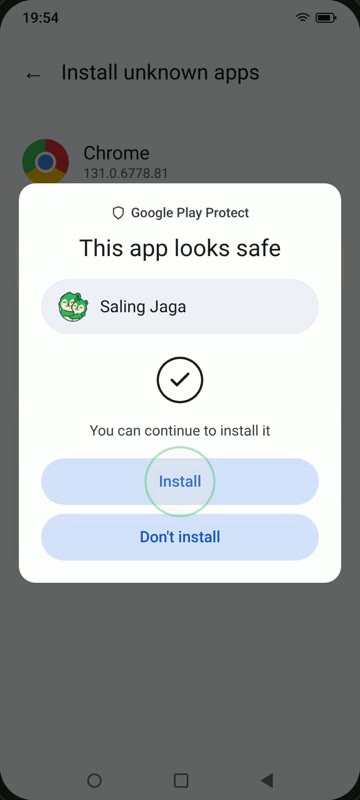 “Looks safe”
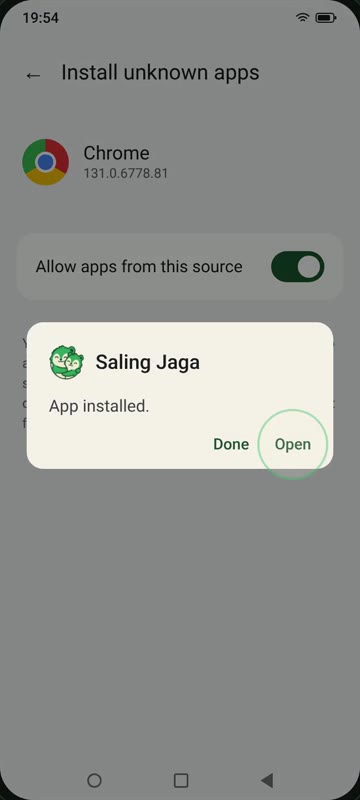 Tap Open